
MES Software: What It Does and When Your Plant Needs One

The first MES project I ever worked on started with a clipboard. On my first walk of the floor, the plant manager at a midsize plastics molder handed it to me and said, “This is our system.” It held a stack of job travelers, a few of them coffee stained, and several had quantities crossed out and rewritten in a different pen. As a result, nobody in that building could tell me with any confidence how many good parts press seven had made on second shift the night before. Instead, they could tell me how many parts the ERP believed it had made. Those were two different numbers, and the space between them is exactly where MES software lives.
Since then, I have spent most of my career working in that space. I have configured, integrated, rescued, and on two occasions fully removed manufacturing execution systems in discrete, batch, and mixed plants. So the conversation in this article is the one I try to have with every plant before anyone signs a purchase order: what MES software actually does, what it does not do, and how to tell whether your operation is ready for one or whether you should fix something simpler first.
What MES Software Actually Is
Once you strip away the vendor language, a manufacturing execution system is simply the software layer that runs and records production as it happens. Plans live in the ERP, while machines run under SCADA and PLC control. However, the connecting layer between them is frequently missing, and that missing layer is the MES.
A Plain Explanation of MES Software
Here is the simplest way I explain it to a new operations manager. Your ERP knows there is an order for 4,000 housings due Friday. Meanwhile, the PLC knows the injection unit on press seven is running at a certain pressure. Nothing else in the building knows that this order is running on that press, with this resin lot, by that operator, under revision C of the setup sheet, and that 112 parts were scrapped at 2:40 a.m. for short shots. The MES, however, knows all of that, and it knows it while it is happening, not three days later when someone finally keys in the traveler.
How the Industry Defines It
There are two classic ways the industry defines the category, and it helps to know both. First, MESA International set out the scope of MES in 1997 through its MESA 11 model, which describes the system by the functions it performs. Then, in 2000, the ANSI/ISA 95 standard combined that model with the Purdue Reference Model, and that standard describes the system by where it sits. Within the ISA 95 hierarchy, MES usually occupies Level 3, the manufacturing operations layer where production is managed, tracked, and converted into usable records for the rest of the business.
In short, ERP decides what to make and when, while MES governs how it gets made. If you remember nothing else from this article, remember that.
The Core Jobs MES Software Does on the Floor
Every vendor packages these differently. Still, when I walk into a plant and evaluate whether something is truly functioning as an MES, these are the jobs I look for.
Dispatching and Work Order Execution
The MES takes released orders from the ERP and turns them into work that a specific line, cell, or machine is told to do. Operators then see what to run next, in what sequence, and with what materials. Good dispatching sounds boring until you watch a supervisor spend the first forty minutes of every shift rebuilding a schedule on a whiteboard because the ERP plan never reflected which machines were actually down.
Data Collection From Machines and People
This is the heartbeat of the system. Cycle counts, run states, alarms, and process values come up from equipment, from molding presses to CNC machines and 3D printers, through connectivity like OPC UA or MQTT. At the same time, scrap reasons, inspections, and material scans come in from operators at terminals or tablets. Of course, the value is not in collecting more data. Rather, it comes from tying each piece of data to the order, the unit, and the moment it belongs to.
Tracking, Genealogy, and Traceability
Genealogy is the record of what went into what: which supplier lot of resin, which batch of adhesive, which powder lot on an additive manufacturing build, and which serialized subassembly ended up inside which finished product. For example, when a customer calls about a field failure, genealogy is the difference between quarantining one lot and quarantining a month of shipments. In other words, the MES produces the “as built” record of how every product was actually made.
Quality Enforcement
A real MES does not just record quality results. Instead, it enforces them. For instance, it can block an operator from starting a job until a first article inspection is signed off, stop a lot from moving forward when a measurement falls out of tolerance, and route nonconforming material to a hold. In addition, it can use SPC to watch trends and raise alerts when results drift beyond control limits. In my experience, this is where MES pays for itself fastest in regulated plants.
Performance, Downtime, and OEE
Availability, performance, and quality losses get captured as they occur, instead of being reconstructed from memory at the end of a shift. Even so, every honest MES engineer will give you one caution: MES does not raise OEE on its own. Rather, it shows you the losses, and people still have to act on them.
Work Instructions and Document Control
Operators get the correct revision of the work instruction for the exact product and operation they are running, not the version taped to the machine guard from last spring. Especially in high mix plants, this alone prevents a surprising amount of scrap.
Labor Tracking
Labor tracking answers who ran the job, who was certified to run it, and how long it took. This feeds costing, and in many industries it also feeds compliance, because an uncertified operator running a critical process is an audit finding waiting to happen.
What MES Software Is Not
I spend nearly as much time clarifying what MES is not as what it is. That is because mismatched expectations kill more projects than bad software does.
Not an ERP and Not a Control System
The ERP owns financials, purchasing, customer orders, and planning across the business. By contrast, the MES owns execution inside the four walls of the plant. Both should exchange data constantly, but neither should try to do the other’s job. I have watched companies try to stretch an ERP shop floor module into a full MES, and I have also watched others try to make an MES carry inventory accounting. Both end in pain.
Similarly, an MES never belongs inside the control loop, because interlocks and safety logic remain in the PLC. The MES can send recipes and setpoints downward. Nevertheless, if the network drops, your machines must keep running safely without it. Any vendor who suggests otherwise should make you nervous.
Not a CMMS, a Dashboard, or a Cure for Bad Process
Maintenance systems such as a CMMS, along with lab systems and warehouse systems, typically sit alongside MES at Level 3. The MES talks to them; however, it does not replace them.
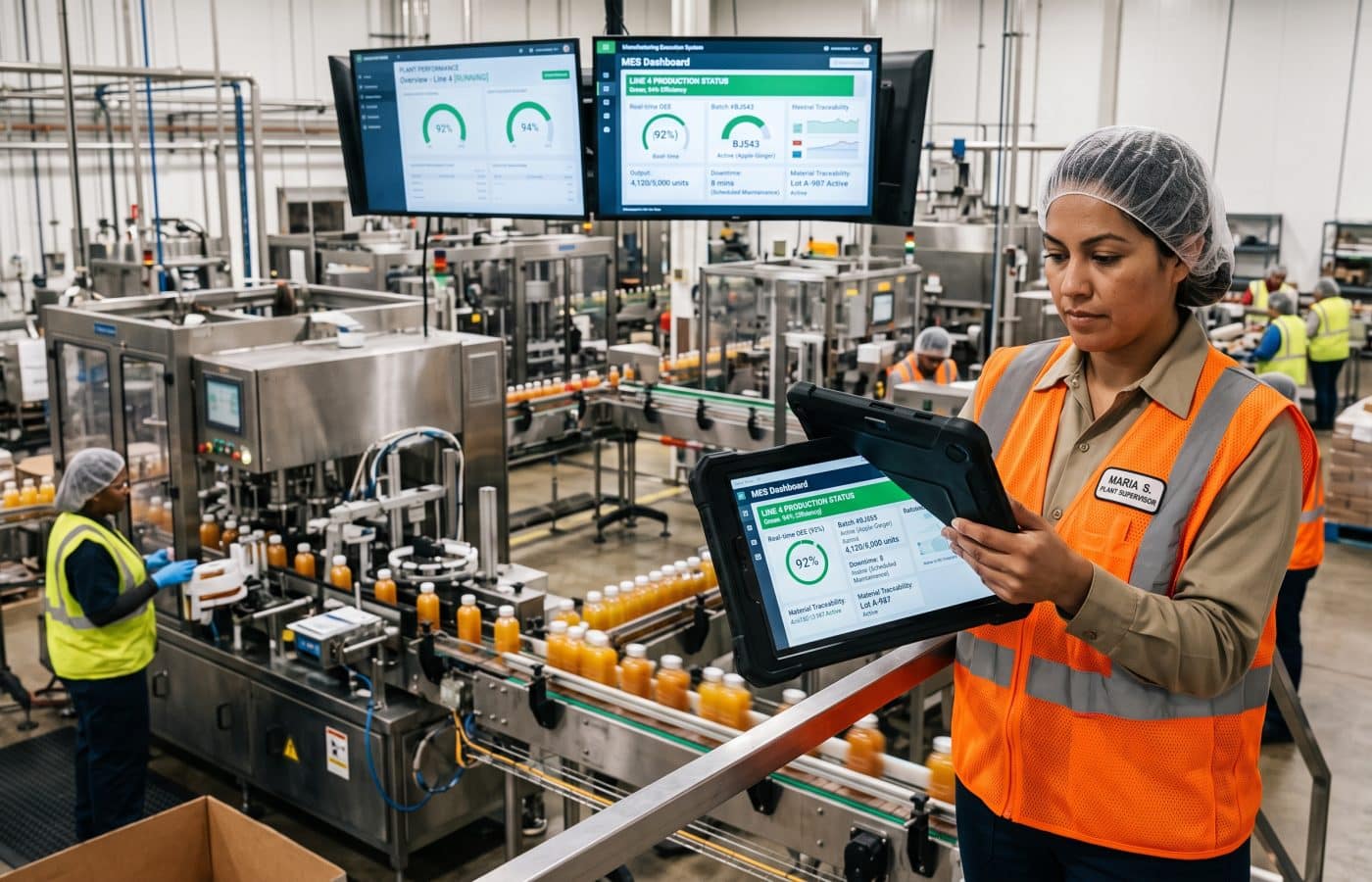
Likewise, a screen showing machine status on a big TV is useful, but that is machine monitoring. Unless the system knows which order, which material, and which operator are tied to that status, it is not executing anything.
Finally, if your routings are wrong in the ERP, your BOMs are out of date, and nobody agrees on what counts as scrap, an MES will faithfully digitize all of that confusion and present it to you in real time. Therefore, clean the master data first.
Signs Your Plant Needs MES Software
Below are the patterns I see again and again in plants that are ready, and sometimes overdue, for an MES. You do not need all of them. Usually, two or three strong ones are enough to justify a serious look.
MES Software Warning Signs: Visibility and Traceability
1. Your production numbers only reconcile at shipping. If you discover count discrepancies when parts are being packed rather than when they are being made, you have a visibility problem. Panorama Consulting, for example, describes a company that ran on tribal knowledge, spreadsheets, and whiteboard scheduling, and because it lacked an MES, its production discrepancies stayed hidden until packing. I have seen versions of that story at least a dozen times.
2. A traceability request turns into a search party. Try running a mock recall. Pick a component lot from six months ago and ask your team which finished goods contain it and where they shipped. If the answer takes days and involves digging through filing cabinets, then you are carrying real risk.
3. You are regulated, or about to be. Medical device, pharmaceutical, food, aerospace, and automotive suppliers all live under rules that demand complete, trustworthy production records. For instance, plants keeping electronic records for the FDA must meet 21 CFR Part 11 for electronic records and signatures. Paper can technically satisfy many requirements; however, the labor cost and error rate climb quickly as volume grows.
4. Paper travelers and spreadsheets are the system. Paper itself is not evil. Rather, the problem is latency and trust. By the time a traveler is keyed in, the information is stale, and nobody can verify whether the handwritten numbers are right.
MES Software Warning Signs: Operations and Customers
5. Your downtime reasons are guesses. When your top downtime category is “other,” or when downtime is filled in at the end of the shift from memory, you are making capital and staffing decisions on fiction.
6. High mix, frequent changeovers, constant revisions. The more products, routings, and engineering changes you run, the more often the wrong instruction or wrong material ends up at the machine. The same goes for plants moving into production 3D printing, where a new file revision can reach the machine in minutes. That is exactly where MES enforcement earns its keep.
7. Your customers are asking for data you cannot produce. OEM customers increasingly want serialized records, process data, and certificates tied to specific shipments. So when that request lands on a quality engineer’s desk and becomes a week of spreadsheet work, treat it as a signal.
8. Your homegrown system has outlived its author. Plenty of plants run on a custom database someone built years ago. It worked well until that person retired or left. At that point, as Pyramid Solutions notes, it makes sense to consider software that does not depend on a single expert.
When You Probably Do Not Need MES Software Yet
I would be doing you a disservice if I said every plant needs MES software. In fact, some do not, at least not yet.
Plants That Can Start Smaller
A straightforward plant with low traceability demands, stable products, little regulation, and strong existing automation may not need a broad MES footprint right away. Say you run three products on two highly automated lines, your customers do not ask for genealogy, and your ERP counts are close to reality. In that case, a full MES might be overkill.
Instead, I usually recommend starting smaller: a machine monitoring tool for downtime and OEE, barcode scanning at a few key points for material tracking, and some discipline around ERP transactions. Later, you can grow into a full MES, and you will buy it far more wisely once you have a year of real downtime data in hand.
The Cost of Waiting Too Long
On the other hand, the opposite mistake is waiting too long. The more a plant relies on precise execution, controlled process steps, dependable genealogy, quick exception response, and live performance management, the more MES becomes a strategic capability instead of an optional tool. If that describes your operation, then the cost of not having an MES is already showing up somewhere. Most likely, it is hiding inside scrap, overtime, and customer complaints.
Buying Advice for MES Software From Someone Who Has Seen Projects Go Wrong
Over the years, I have been brought in to rescue enough stalled MES implementations to see the patterns. Here is what I tell every plant before they start.
Start With a Problem and a Pilot
The worst requirement documents I have seen are 400 line spreadsheets copied from a vendor brochure. By contrast, the best ones start with three sentences: what hurts, how much it costs, and how you will know it is fixed. For example, “We need to trace any finished unit back to its component lots in under an hour” is a requirement. “Genealogy module,” however, is not.
Next, pilot on one line before you expand. Treat it the way engineers treat rapid prototyping: build small, test with real users, and fix what breaks before you scale. Choose a line with a real problem and a supervisor who wants the help. Prove value there, learn what your operators actually need, and then roll out. Plants that try to go live across every department in a single weekend usually spend the next six months in recovery.
Design for the Operator
Operators need quick transaction paths, supervisors need visibility into exceptions, and quality teams need clear inspection and disposition steps. If an operator has to tap through seven screens to log a scrap reason, they will simply stop logging scrap reasons. For that reason, I time every common operator transaction during testing. Whenever one takes longer than the old paper method, we redesign it before go live.
Treat Integration as the Real MES Software Project
In most cases, the software license is not the hard part. Connecting to your ERP, your machines, your quality systems, and your label printers is. Older equipment with no network capability, for instance, needs gateways or retrofitted sensors. Budget time and money accordingly, and ask every vendor to show you an integration they have done with your specific ERP, not a generic slide.
Choose the Right MES Software Deployment Model
MES platforms are moving away from rigid, monolithic on premise software toward modular, cloud connected products. That shift is real and mostly good. Even so, keep the time critical pieces close to the machines. A common pattern keeps real time functions at the edge for low latency and OT security, while heavier analytics and long term storage go to the cloud. That way, if your internet connection goes down, your operators can still start jobs and record production.
Assign an Owner and Count the Full Cost
Every successful MES I have worked on had an internal owner who understood both the plant and the software. In contrast, every failed one had a vendor who left and nobody who knew how to add a new product or change a routing. So name that person before the project starts, and give them real time to do it.
Also, count the full cost: licenses, servers or subscription fees, integration, hardware like terminals and scanners, training, validation if you are regulated, and ongoing support. Vendors tend to lead with the license number, yet it is rarely the biggest number.
How to Build the Business Case for MES Software
Finance teams are rightly skeptical of vague promises about “visibility.” Therefore, build your case on numbers you measure yourself before the project starts.
Measure Your Baseline First
To begin, track your current scrap rate by line and by cause, as best you can. Then record actual downtime for a few weeks using a simple log, even a paper one, and compare it to what your current reports say. After that, time a mock recall from start to finish. Additionally, count how many hours per week supervisors, quality staff, and clerks spend transcribing, reconciling, and chasing production paperwork. Finally, note the cost of your last customer complaint or containment event.
Use the Baseline as a Scorecard
Those baselines do two things. First, they give you an honest return estimate. Second, they give you a scorecard to hold the project accountable after go live. More than one plant I have worked with discovered during this exercise that its real problem was something an MES would not fix at all, which is a valuable thing to learn before spending six figures.
Final Thoughts on MES Software
MES software is not magic, and it is not required for every plant. Rather, it is a tool for one specific job: making sure the plant does what the plan says, the way the process says, while keeping an honest record of what actually happened. Once your operation depends on tight execution, provable traceability, and fast reaction to problems, that job becomes too important to leave to clipboards and memory.
That molding plant with the coffee stained travelers did eventually get its MES. A few months after go live, the supervisor on second shift told me the thing he liked most was not any report or dashboard. Instead, it was that he no longer had to argue with day shift about what had been made overnight. The number on the screen was the number. Ultimately, that is what a good MES gives you: one version of the truth, captured while it is still true.
Frequently Asked Questions About MES Software
What does MES stand for?
MES stands for manufacturing execution system. It is the software that manages, tracks, and documents production on the shop floor in real time. For background on the history and standards behind the term, the Wikipedia overview is a useful starting point.
What is the difference between MES and ERP?
ERP plans and manages the business, including orders, inventory, purchasing, and finances. MES, on the other hand, executes and records production on the floor. SAP’s MES overview explains how the two typically integrate.
Is MES software the same as SCADA?
No. SCADA monitors and supervises equipment and processes, whereas MES manages orders, materials, quality, and records across a shift or a batch. Although MES sends instructions down to SCADA and PLCs, it stays out of the control loop. FlowFuse covers where each system’s job ends.
What are the MESA 11 functions?
They are the eleven core activities MESA International used to define MES in 1997. These include scheduling, resource allocation, dispatching, document control, data collection, labor management, quality management, process management, maintenance management, product tracking and genealogy, and performance analysis. Tulip compares MESA 11 with ISA 95.
Where does MES fit in the ISA 95 model?
MES usually sits at Level 3, the manufacturing operations layer between business systems at Level 4 and control systems at Levels 0 through 2. MaintainX gives a clear breakdown of the standards.
Can a small manufacturer benefit from MES software?
Yes, especially if it has traceability requirements, frequent changeovers, regulatory obligations, or customers demanding production data. In that case, smaller plants often start with a modular or cloud based MES on one line and expand from there. GE Vernova outlines how MES supports lean operations.
How long does an MES implementation take?
It depends on scope, integrations, and regulation. Typically, a focused pilot on a single line can go live in a few months, while a multisite rollout with validation can take a year or more. QAD describes how MES and ERP work together during rollout.
Why do MES projects fail?
Most failures come from poor fit with real plant workflows, weak operator adoption, unclear ownership, and underestimated integration. Panorama Consulting details the early warning signs.
References
- Wikipedia. Manufacturing Execution System. https://en.wikipedia.org/wiki/Manufacturing_execution_system
- SAP. What Is a Manufacturing Execution System (MES)? https://www.sap.com/resources/what-is-mes
- GE Vernova. What Is a Manufacturing Execution System (MES)? https://www.gevernova.com/software/blog/what-manufacturing-execution-system-mes
- QAD. What Is MES? Manufacturing Execution Systems. https://www.qad.com/blog/2026/02/what-is-mes-manufacturing-execution-systems
- Tulip. MES, ISA 95, MESA 11, cMES, NAMUR: Why So Many Standards? https://tulip.co/blog/mes-isa-95-mes-11-cmes-namur/
- MaintainX. What Are Manufacturing Execution System (MES) Standards? https://www.getmaintainx.com/learning-center/what-are-mes-standards
- FlowFuse. What Is MES? How It Works, Benefits, and Challenges. https://flowfuse.com/blog/2025/06/what-is-mes/
- Panorama Consulting Group. Top Reasons for MES Failure and Why Executives Miss Them Early. https://www.panorama-consulting.com/top-reasons-for-mes-failure-and-why-executives-miss-them-early/
- Pyramid Solutions. 10 Signs You Need a New Manufacturing Execution System Software. https://pyramidsolutions.com/ten-signs-need-new-manufacturing-execution-system-mes/
- Umbrex. What an MES Is and Why It Matters. https://umbrex.com/resources/manufacturing-execution-system-playbook/what-an-mes-is-and-why-it-matters/
- Rockwell Automation (Plex). What Is a Manufacturing Execution System (MES)? https://plex.rockwellautomation.com/en-us/products/manufacturing-execution-system/what-is-mes.html
- U.S. Electronic Code of Federal Regulations. 21 CFR Part 11: Electronic Records; Electronic Signatures. https://www.ecfr.gov/current/title-21/chapter-I/subchapter-A/part-11